
Cameras you already own, finally working as a system.
Live view, smart events, face recognition, plain-English search, and a single dashboard tying it all together — running on one quiet appliance in your home, office, or facility. Here’s what every piece does.
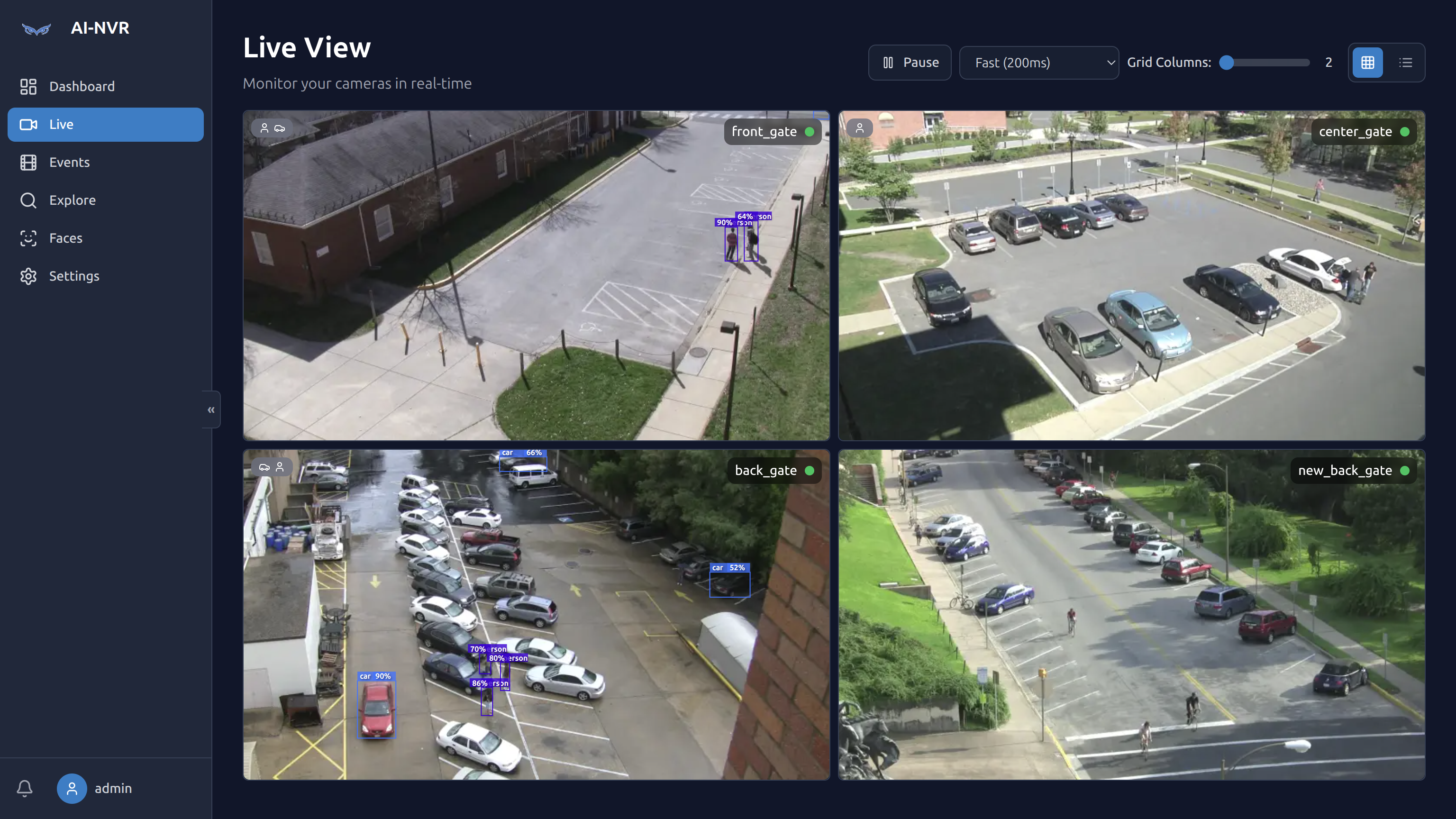
GPU-accelerated object detection on every stream.
A custom PyTorch detector runs YOLO models against every camera in real time, drawing labeled bounding boxes with confidence scores directly onto your live view. Tune model, accelerator, FPS, and zones per camera.
- PyTorch / TensorRT YOLO with NVIDIA acceleration
- Per-camera inference settings and zone filtering
- Tracking + trajectory across frames, not single-frame guesses
- Configurable label set: person, vehicle, animal, package, and custom classes
A local model writes the story of every event.
Detection tells you what is in the frame. AI-NVR's LLM layer tells you what it means. For every review item, the model produces a written scene summary, a structured threat level (0–2), a confidence score, and a list of concerns — pluggable Ollama, Gemini, OpenAI, or Azure backends.
- Threat level 0 (normal) / 1 (suspicious) / 2 (immediate) with rationale
- Intent reasoning — “testing the door”, “loitering near gate”
- Customizable per-camera activity context prompt
- Daily / weekly time-range summaries on demand
- Ollama on-box keeps your video on your network
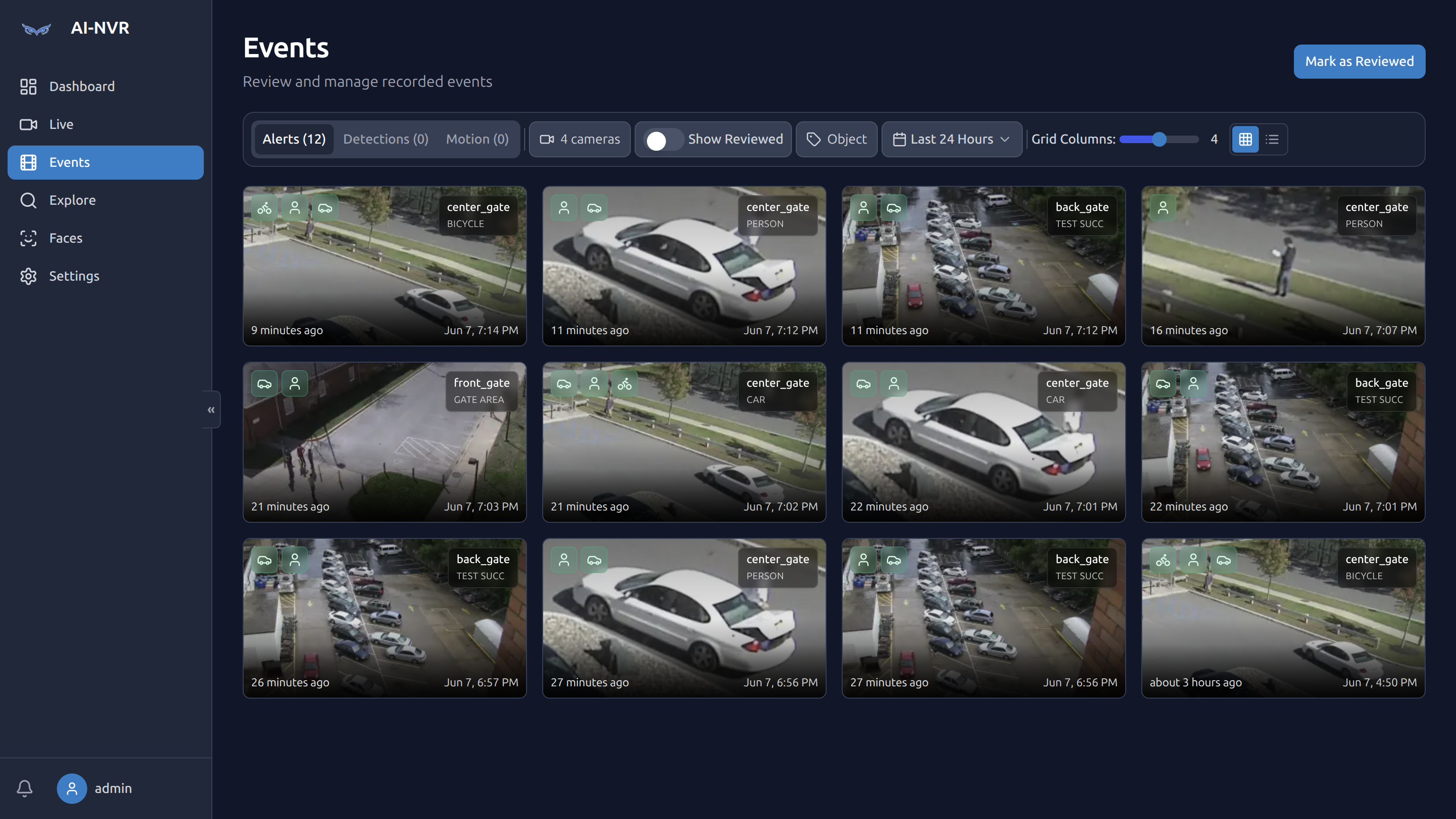
A modern viewer for operators, not just admins.
The Live tab gives you an adaptive multi-camera grid with detection overlays, refresh-rate control, and instant full-screen. The Events tab is a thumbnail-based review workstation — filter by alerts, detections, motion, camera, zone, or object, all in one click.
- Adaptive grid up to 16 cameras with selectable refresh rate
- Object class + zone + camera filters
- “Mark as reviewed” bulk workflow
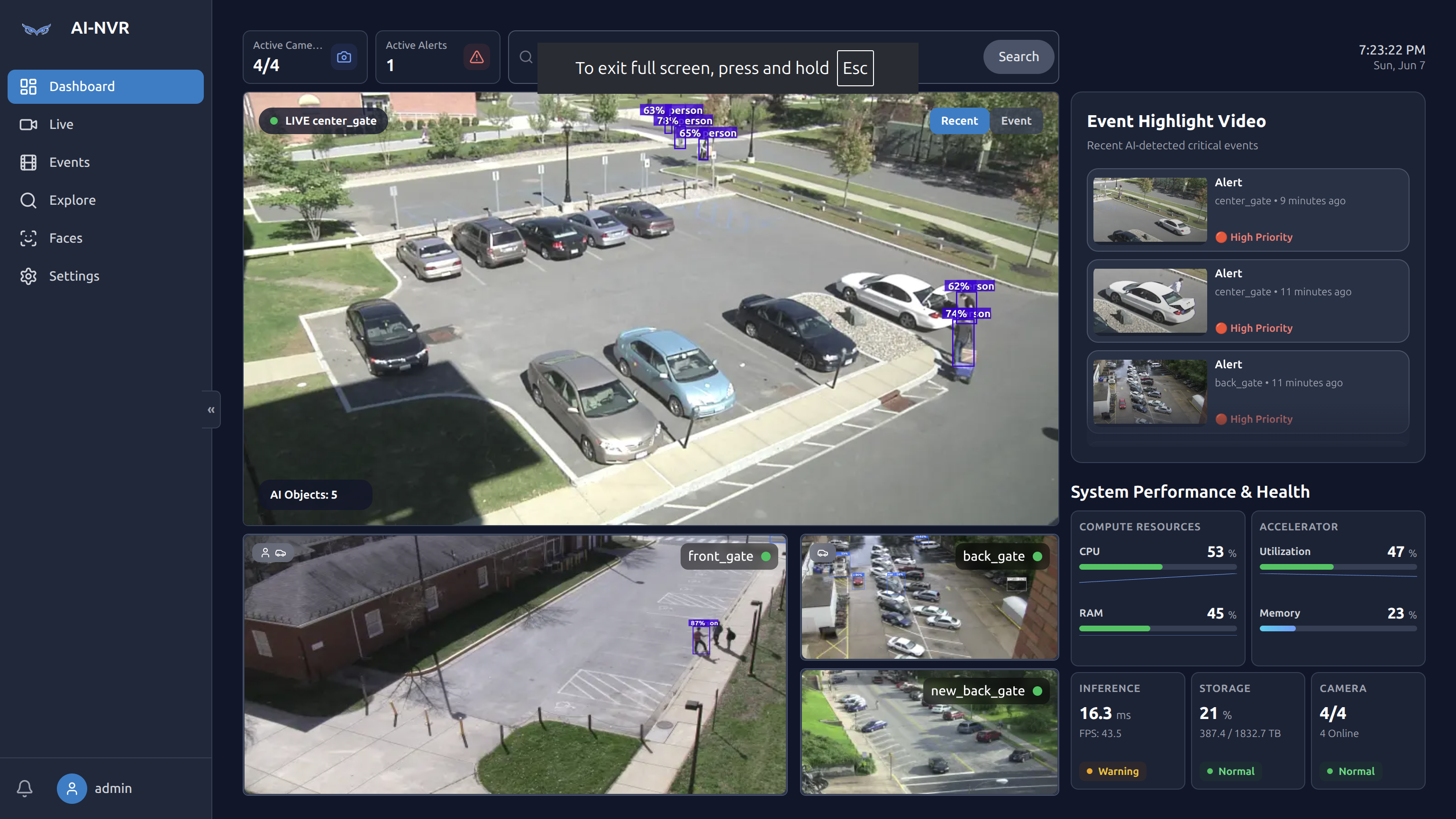
- Recent alerts surfaced to the dashboard with one-click drilldown
Recognize who, not just what.
AI-NVR includes a built-in face recognition pipeline using local embeddings. Enroll family, staff, or known visitors, and let the system tag identities into the timeline. No third-party face API — embeddings live on your appliance.
- Local embedding model, no third-party face API
- Enroll from existing clips or upload
- Identity-aware semantic search
- Optional per-camera enable / disable
Search your footage in plain English.
Every tracked object gets a short LLM-written description focused on intent and behavior. Those descriptions are indexed alongside object metadata, so queries like \u201cperson approaching the front door at night\u201d or \u201cwhite SUV circling the lot\u201d resolve to actual clips.
- Embedding + keyword hybrid search
- Filters compose with semantic query
- Time-of-day, camera, and zone constraints
- Saved searches (coming soon)
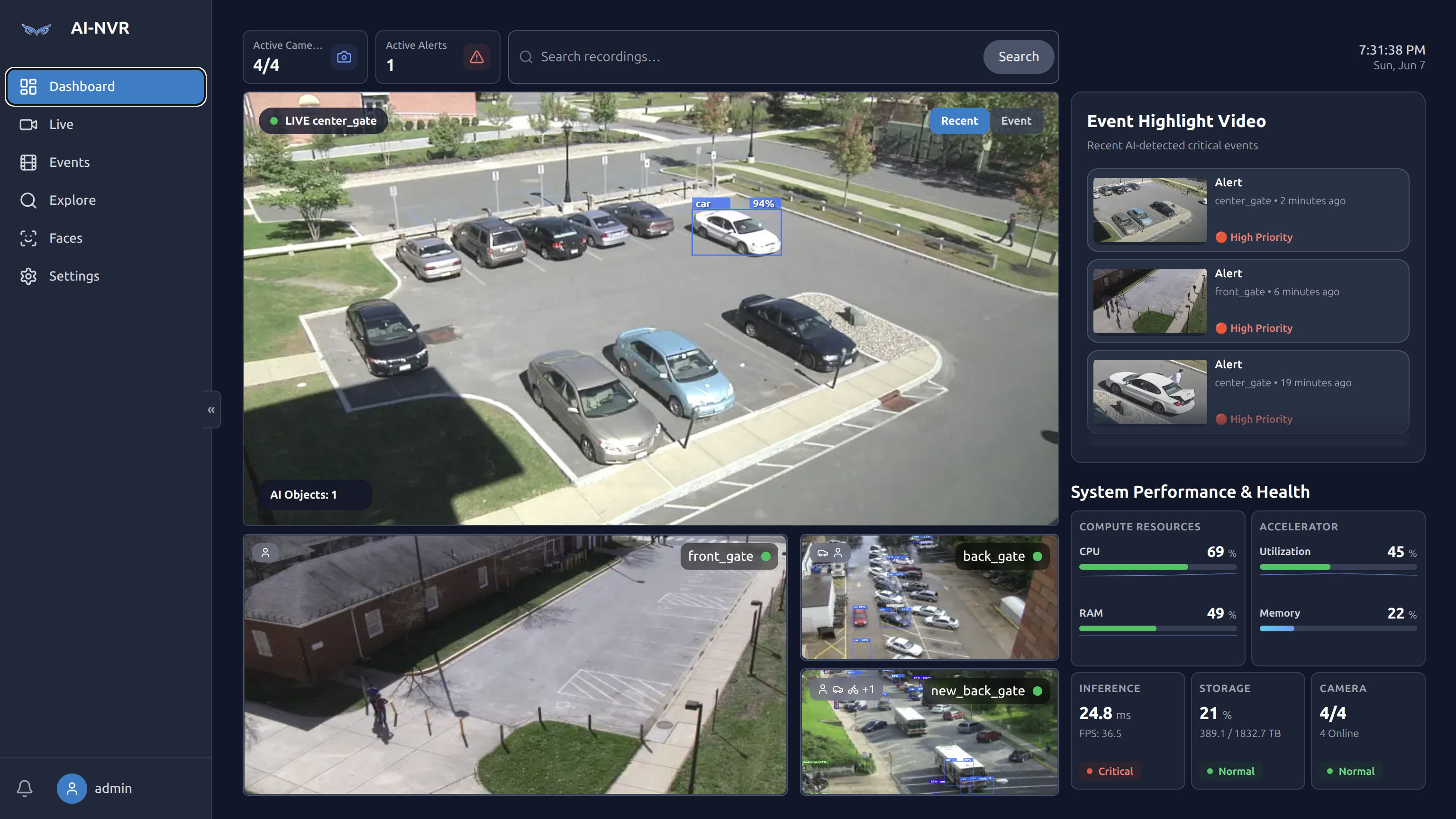
Production-grade telemetry, baked in.
AI-NVR exposes GPU utilization, inference latency, FPS per stream, RAM, storage, and camera online status on the dashboard. Spot a struggling stream before users do, and trace it back to the camera, model, or hardware.
- CPU / RAM / GPU utilization in real time
- Inference ms + FPS per camera
- Storage runway and retention projections
- Status thresholds: Normal / Warning / Critical
Your video. Your hardware. Your call.
AI-NVR is engineered for on-prem first. Cloud features — if any — are explicit opt-ins, and most users never need them.
Runs entirely on the appliance. No outbound calls required when using local Ollama and local face embeddings.
Per-camera retention policies. Recordings live on the disks in the appliance, encrypted at rest if you enable it.
Docker, systemd, kiosk-mode display, and an upcoming WSS tunnel for remote access without exposing ports.
The short version.
A summary you can put in a Slack message. Full spec sheet is on the hardware page.
The questions everyone asks.
Not unless you opt in. By default, every frame, every face, and every AI decision happens on the appliance in your building. If you choose a cloud AI provider for extra horsepower, only the frames sent for analysis are uploaded — and that's a setting you control.
Any RTSP or ONVIF-compatible IP camera. H.264 and H.265 are both supported. We've tested with Hikvision, Dahua, Reolink, Amcrest, Axis, and many others.
Strongly recommended. The appliance ships with an NVIDIA accelerator for both detection and (optionally) the local LLM. CPU-only operation is possible for small deployments but will limit framerate and LLM responsiveness.
Most camera systems are recorders — they save video and ping you on every speck of motion. AI-NVR understands what it's looking at: it tells the difference between a delivery and a stranger, scores how concerning each event is, lets you search clips in plain English, and runs entirely on your own hardware with no monthly fee.
Yes. AI-NVR can dial out to a broker over WSS and accept reverse-tunneled requests from your phone or laptop. Optional, opt-in, and works behind NAT.
Not today. The product is intentionally appliance-first. If a managed offering ships later, it will be optional — the self-hosted appliance will always remain the default.
See it running on your own cameras.
Book a 20-minute live walkthrough, or send us your property details and we’ll come back with a tailored hardware quote. One business day, from a human.